
The animated Easter gif remains a classic in messaging every spring, but the landscape has changed. Free image banks like Giphy or Pinterest still offer the same sparkling bunnies and bouncing eggs. In 2026, the difference lies elsewhere: AI generation tools allow you to create animations from a photo or a simple text description, without editing software.
AI gif generators: what free tools really allow
The main change compared to previous years is the accessibility of AI generators. Platforms like Moxion AI offer to transform a photo into an animated gif in seconds, for free and without a watermark. The principle: you upload an image (family photo, child’s drawing, portrait of a loved one), and the tool generates a short animation.
The other possible entry is the textual description. You type “a bunny hiding eggs in a blooming garden” and the AI produces a corresponding gif. The result varies depending on the tools: some produce smooth animations, while others remain jerky or approximate in details.
For those looking for Easter gifs 2026 already ready to send, themed galleries also gather animated visuals categorized by style and tone, from sober to festive.

Personal photo transformed into an Easter gif: interest and limits
The most interesting option to surprise a loved one is to start from a personal photo rather than a generic visual. Animating the face of a child dressed as a bunny or giving movement to a photo of an egg hunt creates an effect that image banks cannot offer.
Several online tools (Moxion, EZGIF) provide this function. The process is simple: import the photo, choose the type of animation, export in gif format compatible with WhatsApp, Messenger, or social networks.
What works well
- Portraits and close-ups animate convincingly: slight head movement, wink, widening smile
- Scanned or photographed children’s drawings yield charming results, with a “homemade” style that the AI does not overly standardize
- The file size generally remains compatible with messaging, unlike short videos that saturate conversations
What remains approximate
Complex scenes with multiple characters or busy backgrounds produce less sharp animations. Hands and fingers remain a recurring weak point of AI models, and fine textures (lace, feathers) may appear blurred. The quality heavily depends on the resolution of the source photo: a dark or blurry shot produces a mediocre gif.
Field feedback varies on this point: some users achieve stunning results on the first try, while others must test several tools before finding a satisfactory rendering.
Easter gifs by text description: when writing replaces graphics
Text prompt generation opens another creative avenue. Instead of starting from an existing photo, you describe the desired scene. This mode is particularly suitable for those who want a custom gif but do not have a suitable starting image.
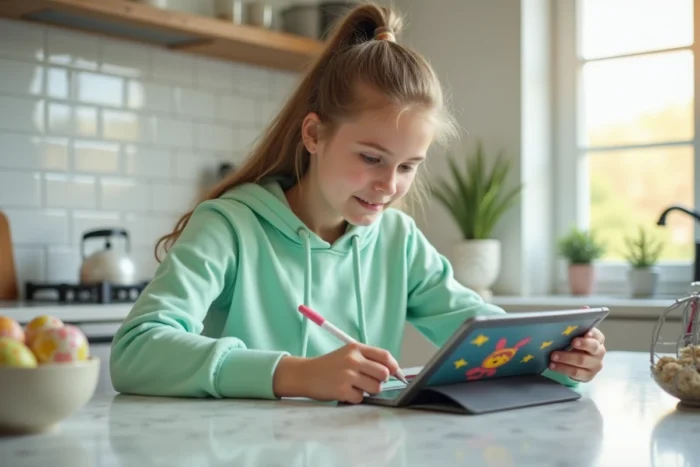
The vocabulary used in the description directly influences the result. Specifying the style (“watercolor”, “pixel art”, “90s cartoon”) guides the AI towards a coherent aesthetic. Adding concrete details (“wicker basket”, “garden with tulips”, “chocolate in the shape of a bell”) improves the relevance of the visual.
A gif generated by text prompt looks unlike any other, which is its main advantage over pre-existing galleries. However, control remains limited: you do not precisely choose the composition or framing.
Where to share these animated Easter gifs and in what format
The gif format remains the most universal for sharing via messaging. It displays natively in WhatsApp, Telegram, Messenger, and most email clients. On social networks, compatibility varies.
- WhatsApp and Messenger read gifs directly in the conversation, with automatic looping playback
- Instagram does not support gifs in standard posts but integrates them via stickers in stories
- Emails display animated gifs in most clients (Gmail, Outlook), making them a good medium for more formal wishes
The ideal size for a gif for smooth sending is under a few megabytes. Beyond that, the compression applied by messaging degrades the quality. Tools like EZGIF allow you to resize and optimize the file before sending.
A detail often overlooked: the duration of the animation. An effective Easter gif lasts between one and three seconds. Longer, it loses impact and gains weight. The short loop, with simple and readable movement, remains the format that works best on small screens.

The animated Easter gif has left the realm of standardized virtual cards. With the tools available in 2026, creating a personalized animation takes less time than searching for the right visual in an image bank. The only real limit remains the patience needed to test two or three generators before finding one that meets your expectations.